REALTIME SECURITY MONITORING

Realtime WordPress Securityy For Every Site You Manage

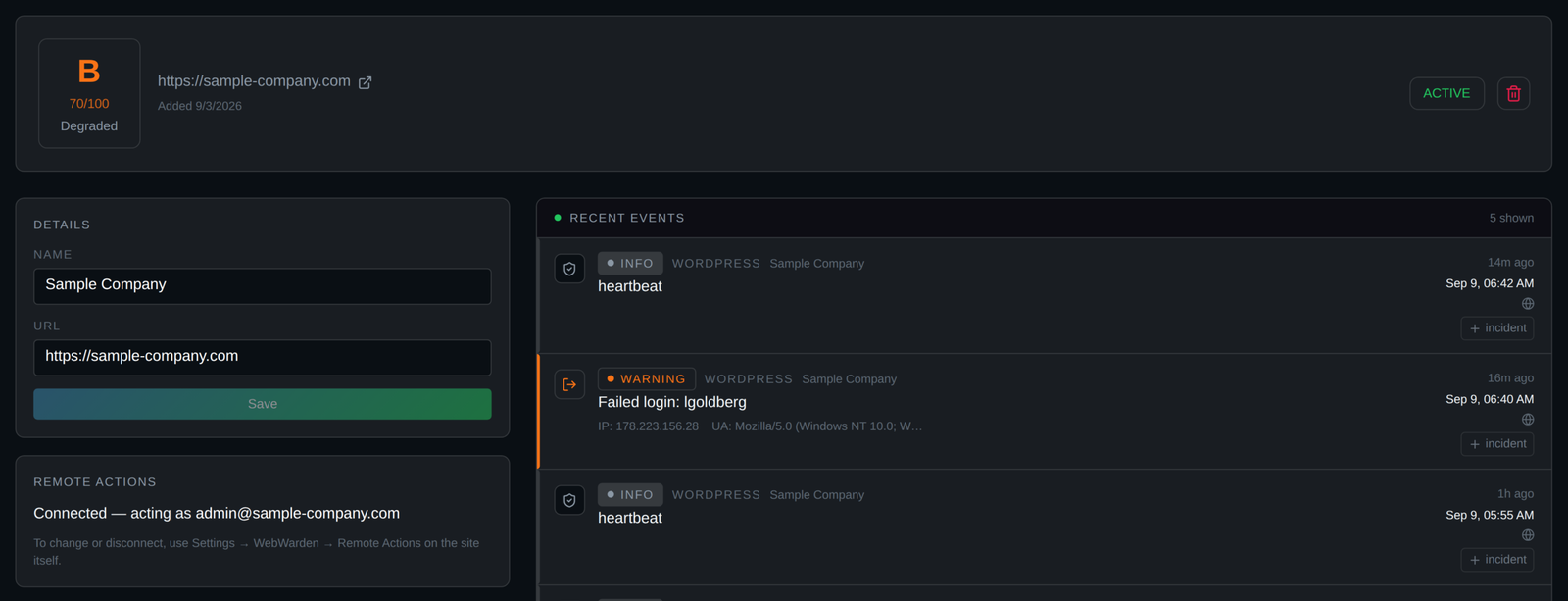
Monitor every WordPress site you manage from one dashboard. Catch malware the moment it appears, fix most issues with a single click, and call in a real security team for WordPress malware removal and hardening when a problem needs more than a click.
WEBWARDEN BY THE NUMBERS

WordPress Security and Performance Metrics

Realtime WordPress security monitoring built for agencies, freelancers, and hosting resellers who manage more than one site. Catch malware fast, fix it faster, and prove every site is being watched.

Passive, on demand, and automatic daily scanning on every connected site

0 Scan Methods

Continuous WordPress security monitoring, never on a delay

0 /7

Sites Monitored & Counting

0 K+

Remote fixes for logins, malware, and outdated plugins, straight from the alert

0 Click
WHAT HAPPENS WHEN SOMETHING IS FLAGGED

WordPress Security That Actually Gets Resolved

WebWarden does not stop at an alert. Every flagged threat moves through detection, response, and cleanup until the site is confirmed clear, with a report you can hand straight to your client.

Threats Are Detected

WebWarden's realtime event stream, homepage malware scanner, and the security integration catch the problem the moment it appears, whether it is a brute force login, injected code, or an outdated plugin with a known vulnerability.

Open A Ticket Or Chat Live

Every alert includes a Request Removal Help link that opens a support ticket already filled in and tagged to the right category, or jump into live chat for anything quick. Both are included with your subscription.

Our Team Identifies And Fixes It

The WebWarden team confirms what is actually happening, removes the malware or completes the hardening pass, and closes the door so the same issue does not come back.

A Report Lands In Your Inbox

Once the site is confirmed clean, you get a clear report showing what was found and what was fixed, ready to forward straight to your client as proof the issue was handled.

OUR PLATFORM CAPABILITIES

Powerful WordPress Security Features Built For Every Site You Manage

Give every client site the same level of WordPress security monitoring, without opening a single wp-admin. Scan on demand, resolve issues from the alert itself, and keep your whole portfolio visible from one login.
On Demand Security And Malware Scans

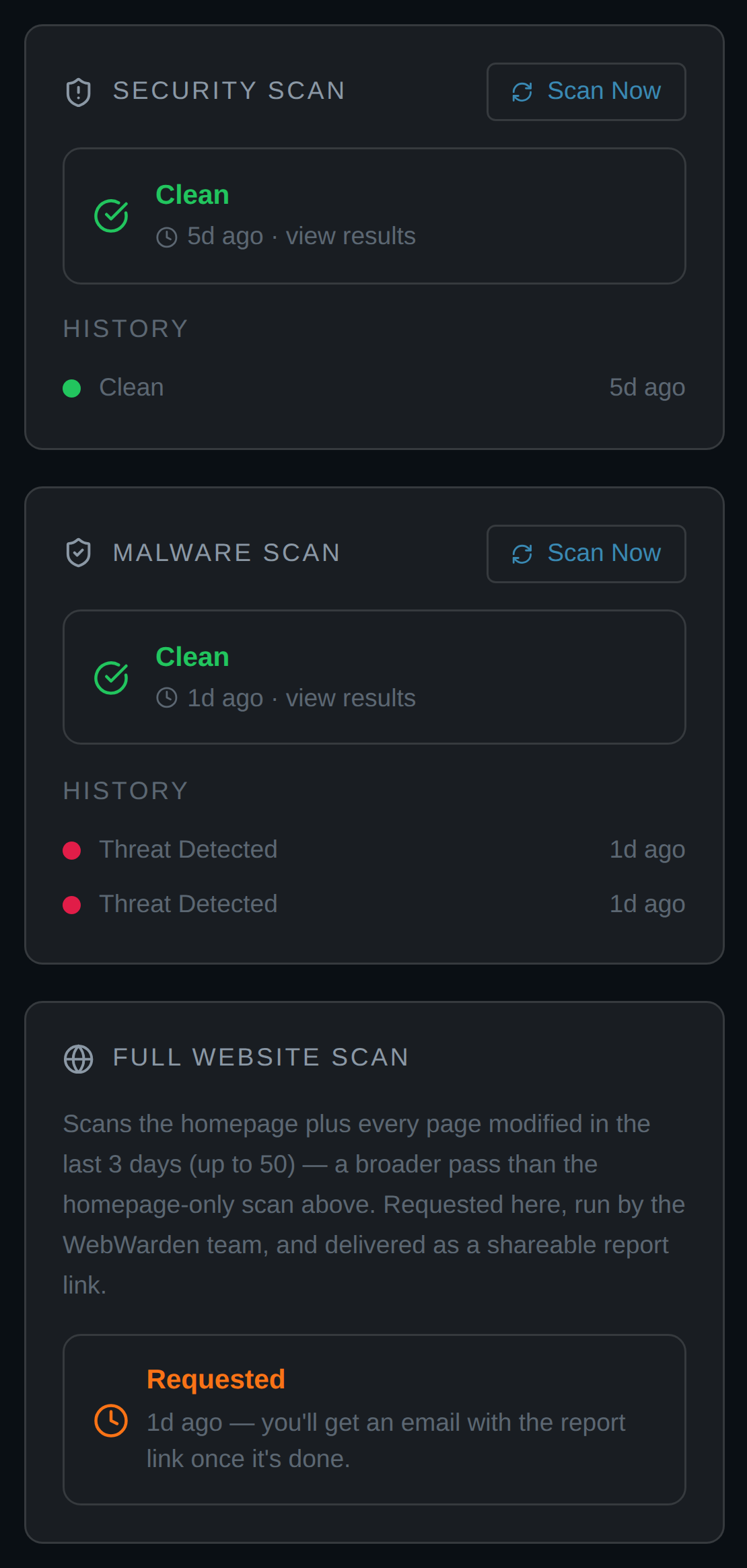
Every connected site carries its own Security Scan and Malware Scan, right on its dashboard page. Click Scan Now to check for outdated plugins and themes, or run a homepage malware scan that catches hidden iframes, injected scripts, and disguised redirects the moment they appear. A full scan history sits right underneath, so nothing slips through between checks.

Support Tickets And Live Chat, Built Right In

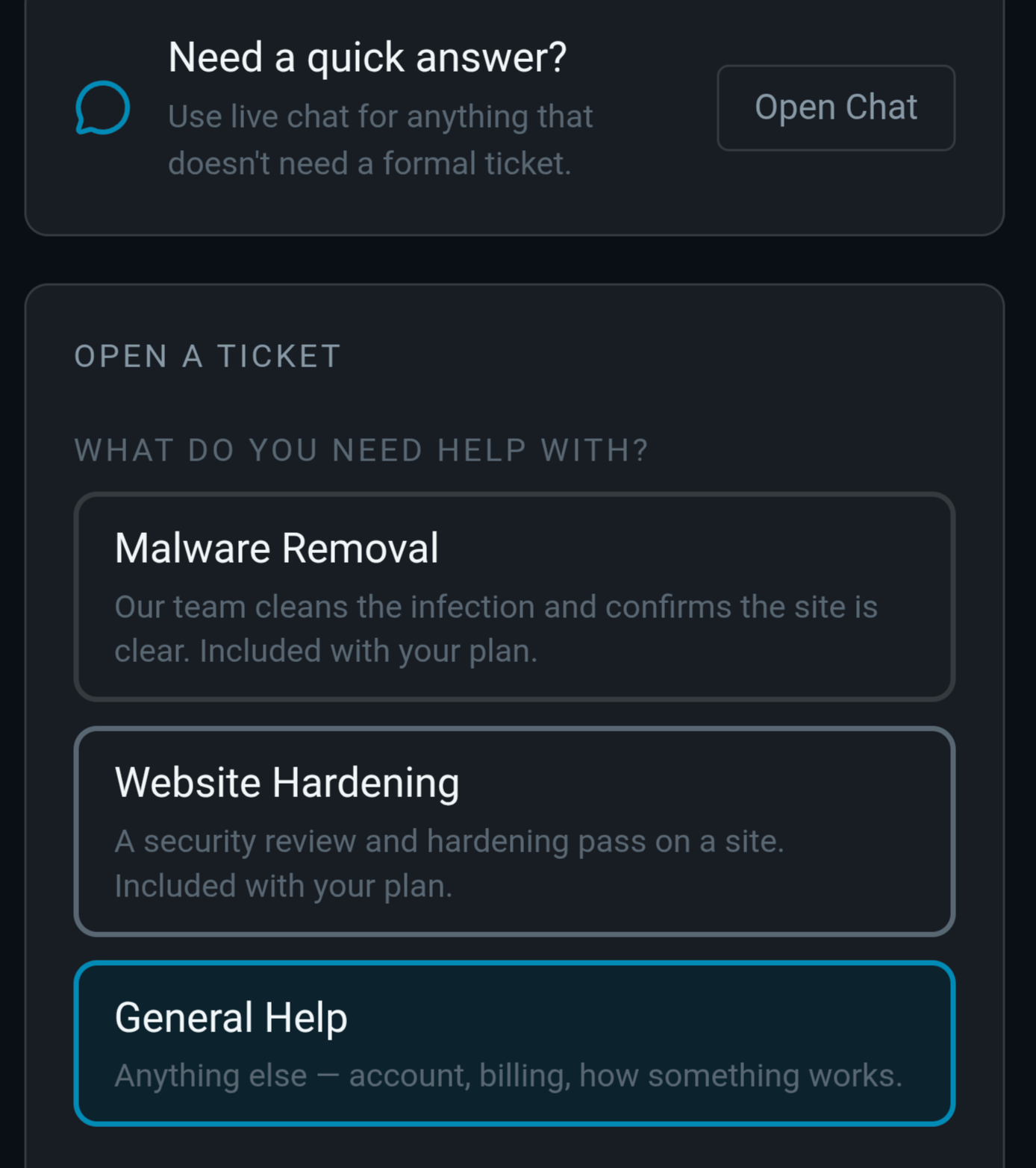
Open a ticket for Malware Removal, Website Hardening, or General Help, and it lands with the WebWarden team already tagged to the right category. Need something faster? Live chat sits right alongside it for anything that does not need a formal ticket. Both are included with your plan, and every ticket is a real conversation tracked through to resolved.
Alerts Delivered Wherever Your Team is

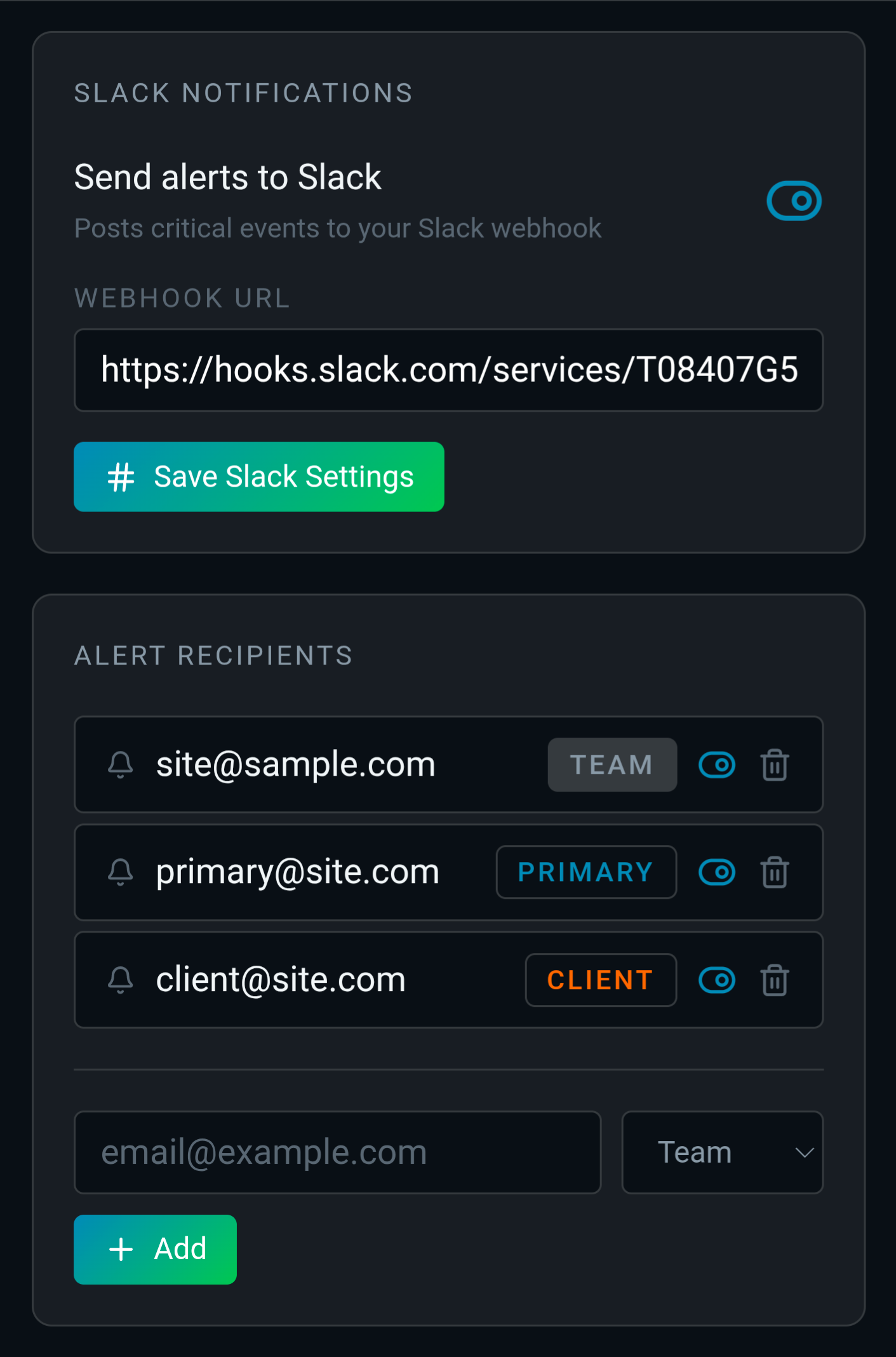
Connect a Slack webhook to push critical alerts straight into your team channel, and route email notifications by recipient type: Team, Primary, or Client. The moment something needs attention, the right people find out within moments, whether or not anyone is staring at the dashboard.

One Dashboard For Your Entire Portfolio

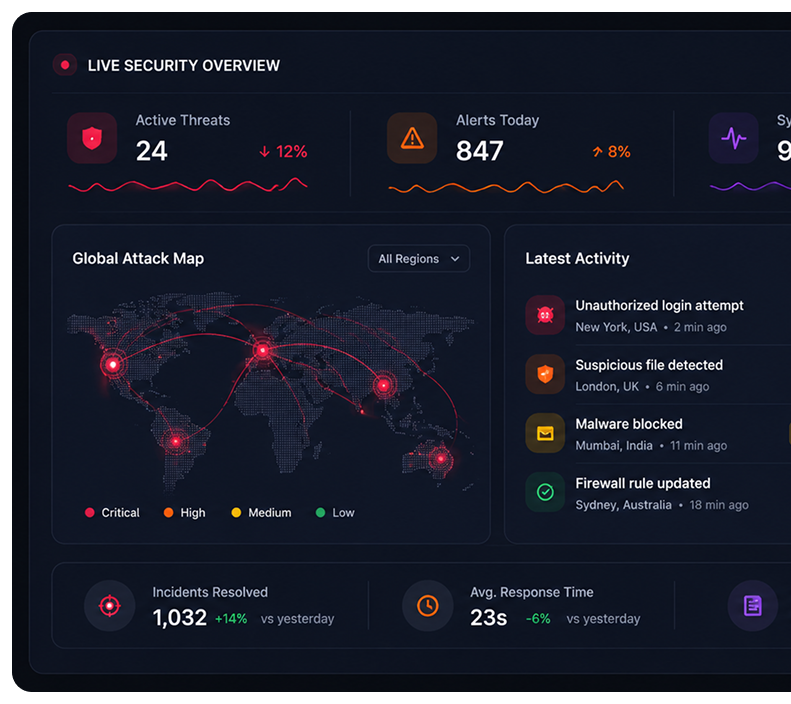
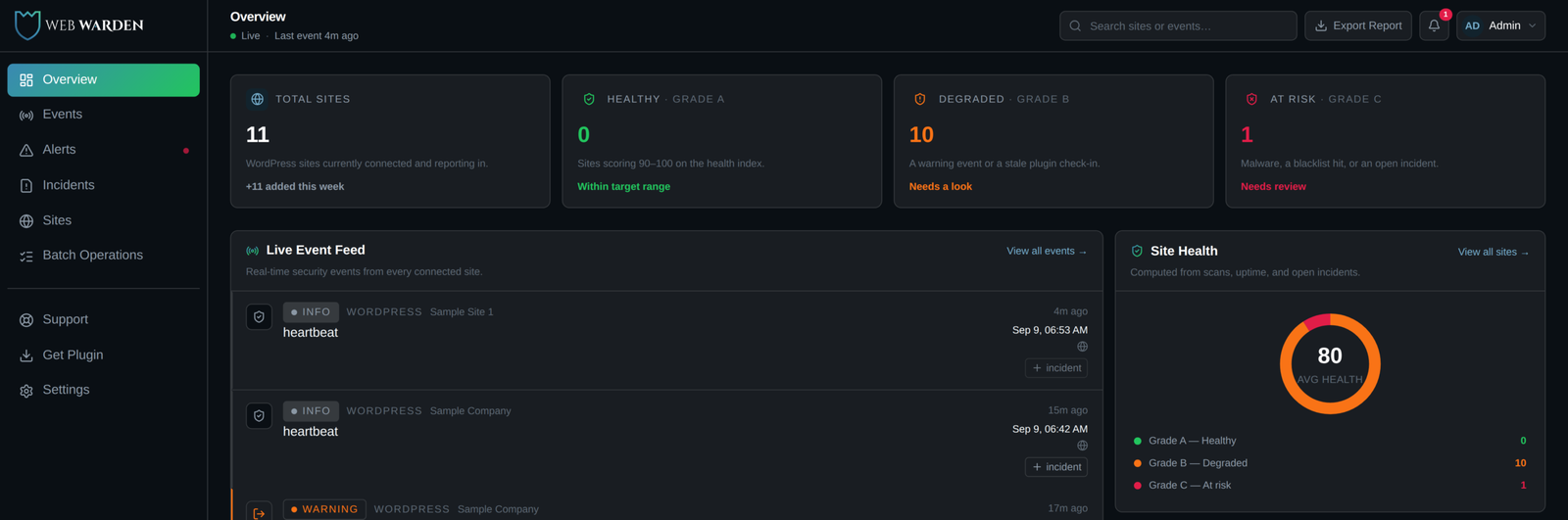
See every connected site at a glance, including total sites, healthy sites, degraded sites, and anything at risk. The live event feed and site health scores sit right on the homepage, so you know exactly where to look before opening a single site.

A Complete Command Center For Every Site

Drill into any site to run a scan, review its alert history, take remote action on a compromised user or an outdated plugin, and check its health score, all without a wp-admin login. Recent events and remote actions log automatically, so the full story of that site lives in one place.
BEFORE AND AFTER WEBWARDEN

One Dashboard Instead Of A Tab For Every Site

See what changes when every WordPress site you manage reports to one place instead of ten separate logins, spreadsheets, and wp admin dashboards.

Without WebWarden

Managing Sites One By One

Scattered Security Alerts

Login attempts, plugin issues, and suspicious activity get noticed only if someone happens to be logged into that specific site at the time.

Manual Site Checks

Confirming a site is clean means logging into wp-admin, checking plugins, and scanning by hand, one site at a time, every time.

Constant Tab Switching

Managing ten client sites means ten separate logins, ten separate dashboards, and no single view of which ones actually need attention.

Delayed Threat Response

Without realtime detection, malware and brute force attempts can sit on a site for days before anyone notices something is wrong.

Email

Monitoring

Tickets

Multiple disconnected tools and limited visibility

With WebWarden

One Dashboard, Every Site

Centralized Real-Time Alerts

Every connected site streams logins, file changes, and malware signatures back to one dashboard the instant they happen, with email and Slack alerts sent to the right recipients.

Automated Incident Tracking

Related events group into a single Incident automatically, so the whole story from detection to resolution lives in one place instead of scattered log lines.

Unified Health Scores

See a health score for every site in your portfolio at a glance, so you know exactly which ones need attention today without opening any of them.

One Click Coordinated Response

Block an IP, block a user, update a plugin, or open a support ticket already tagged to the right category, all from the same alert, without a single wp-admin login.

Slack

Email

Reports

WordPress Connector

One connected, automated cybersecurity workflow

Our Pricing Plan

Comprehensive Security Plans Built Around Your Needs

Our flexible pricing plans combine advanced threat detection, 24/7 monitoring, and dedicated security expertise to protect your business.

All features included

$14.99/Monthly

One plan, everything included

Complete WordPress security monitoring for every site you manage

What’s Included:

TRUSTED BY WORDPRESS AGENCIES AND FREELANCERS

Proven Protection For Every WordPress Site You Manage

Sites Monitored

0 K+

Malware Threats Caught

0 K+

Remote Fixes

0 Click
WebWarden installs a lightweight connector plugin on each site you manage, which streams logins, file changes, and malware signatures back to one central dashboard in real time. You get a live event feed, a health score for every site, instant alerts, and one click remote actions, all without logging into wp admin.
The moment a match is found against WebWarden’s malware signature library, a critical alert fires immediately, your team is notified by email and Slack, and the exact matched pattern is shown right in the alert. From there you can request professional malware removal with one click, and our team confirms the site is actually clean, not just that the alert stopped firing.
Yes. Malware Removal is included with your subscription, not billed separately. When a threat is flagged, a Request Removal Help link opens a support ticket already tagged to the right category, and our team cleans the infection and confirms the site is genuinely clear.
Security hardening is a full review of a site’s configuration to close the gaps that let an attack happen in the first place. WebWarden includes Website Hardening as a support ticket category with every plan, so once a site is cleaned, our team can also make sure the same door does not get used twice.
Yes. WebWarden is built as a multi tenant dashboard specifically for people managing more than one WordPress site, including agencies, freelance developers, hosting resellers, and in house web teams. Add sites in batches, run scans across your whole portfolio at once, and see every site’s health score from a single login.
Most security plugins only protect the single site they are installed on. WebWarden’s connector plugin is intentionally lightweight since the dashboard does all the thinking, giving you one place to monitor, scan, and take action across every client site instead of managing separate plugins one site at a time.
FAQ

Frequently Asked Questions

Find quick answers about WebWarden’s WordPress security monitoring, malware removal, hardening services, and how we protect every site in your portfolio.

Need More Help?

Still Have Questions About Your Security?

Email Our Experts

Emergency Support

24/7 Incident Response

Book A Demo Now

Ready to level up your website security and increase your inbound leads? Book a free Demo today.